Ready or Not Controls: Ready or Not Keyboard Controls/Shortcuts & Hotkeys
Ready or Not Keyboard Controls PC: Here is the complete guide on Ready or Not Keyboard Shortcuts & PC Hotkeys. By following these keyboard shortcuts, you can control your in-game character in the easiest ways. For your comfort, I have mentioned all the Ready or Not keybinds used to play the game with a keyboard and mouse.
Best Gaming Headphones [Comfortable, RGB, & Lightweight]
Best Gaming Chairs For Long Time Gaming
Ready or Not Controls: Ready or Not Keyboard Shortcuts
1. Movement Controls
| Key | Command |
|---|---|
| W | Forward |
| S | Backward |
| A | Left |
| D | Right |
| Space | Jump |
| Ctrl | Crouch |
| Shift | Walk |
| Q | Lean Left |
| E | Lean Right |
| Alt | Free Lean |
2. Equipment Controls
| Key | Command |
|---|---|
| 1 | Equip primary weapon |
| 2 | Equip secondary weapon |
| 3 | Equip nade |
| 4 | Equip tactical device |
| 5 | Equip long tactical |
| 6 | Equip miscellaneous |
| N | Equip night vision |
| C | Drop chem light |
| Num 0 | Equip stinger |
| Num 1 | Equip CS gas |
| Num 2 | Equip flashbang |
| Num 3 | Equip Optiwand |
| Num 4 | Equip breaching shotgun |
| Num 5 | Equip wedge |
| Num 6 | Equip C2 |
| Num 7 | Equip tablet |
| Num 8 | Equip pepper spray |
| Num 9 | Equip multitool |
3. Interaction Controls
| Key | Command |
|---|---|
| Left Click | Fire |
| Right Click | ADS |
| G | Quick Throw |
| F | Interact / Yell for compliance |
| B | Melee |
| X | Fire Select |
| R | Reload / Check magazine |
| Home | Toggle Low-ready |
| F3 | Reload / Check maxine |
4. Teamwork Controls
| Key | Command |
|---|---|
| Scroll Click | Open Swat Command Interface |
| Z | Swim Down |
| Scroll Up | Cycle next element |
| Scroll Down | Cycle previous element |
| F5 | Select gold element |
| F6 | Select blue element |
| F7 | Select red element |
| Shift | Hold command |
| 1 | Command key one |
| 2 | Command key two |
| 3 | Command key three |
| 4 | Command key four |
| 5 | Command key five |
| 6 | Command key six |
| 7 | Command key seven |
| 8 | Command key eight |
| 9 | Command key nine |
| Tab | Command key back |
| T | Team view cam |
| V | Push to Talk VOIP |
| L | Cycle voice channels |
| J | Chat |
| K | Team chat |
5. Misc Controls
| Key | Command |
|---|---|
| ESC | Swim Up |
| M | Multiplayer menu |
| Left Arrow | Spectate Previous Player |
| Right Arrow | Spectate Next Player |
| Up Arrow | Vote Yes |
| Down Arrow | Vote No |
Best Monitor For Gaming [FHD, Cool, Stylish]
Best Gaming Laptop [Powerful, Lag-Free Gaming]
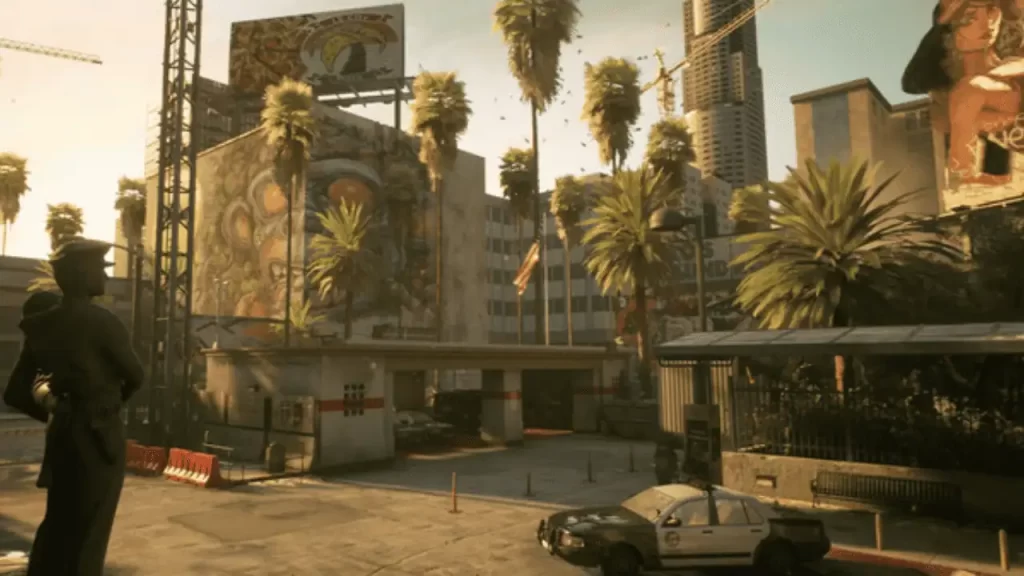
What is Ready or Not?
Ready or Not is an intense, tactical, first-person shooter that depicts a modern-day world in which SWAT police units are called to defuse hostile and confronting situations.
| Game | Ready or Not |
| Developer | VOID Interactive |
| Publisher | VOID Interactive |
| Release Date | 13 December 2023 |
| Platform | Windows |
| Genre | Action, Adventure, Indie |
| Mode | Single-player |
| Available On | Steam |
Best Gaming Mouse [Stylish, RGB, Multifunction]
Best Gaming Keyboard [Mechanical Keyboard For Gaming]
Wrap Up
I’m assuming this article would be helpful for you to get complete information about Ready or Not Controls: Ready or Not Keyboard Controls/Shortcuts & Hotkeys. For more, stay tuned to WargXP.com.